
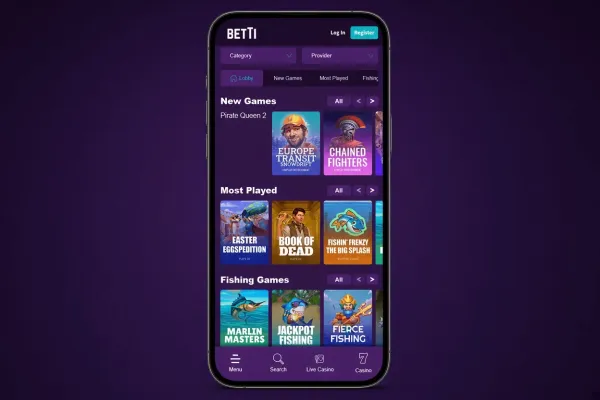

Betti does not offer an app for iOS, so there is nothing to download to an iPhone. You can still play Betti on your iPhone through the mobile site, which opens in Safari, the browser built into iOS. The site runs in the browser and needs no download, installation or update.
This page explains what the phone version offers, how to open it and what to keep in mind when you use it on a phone. The steps for opening the site are shown above, so the sections below cover the details that come after them.
What you can do on your phone

The mobile site is the phone version of Betti. You open it in a browser rather than through an installed app. For an overview of the mobile version, see the mobile version page.
Because there is no app, you do not get an app icon from the App Store or a separate program on the phone. Everything you do runs in the browser, so you need a working internet connection to use the site.
If you already have an account, log in on your phone with the details you normally use. If you are new, you can sign up from your phone in the same way.
Compared with a computer, the main difference is the screen size and the browser you use. Buttons, menus and pages are laid out for a small screen, so take your time when you read terms or check your balance.
Opening Betti on iPhone

Searching the App Store for Betti will not give you a casino app to install, because Betti does not offer an iPhone app. Do not install anything that claims to be the Betti app for iPhone, and do not follow links that ask you to install a profile or a file in order to play.
Playing in the browser needs no download and takes no storage space on the phone. Safari keeps the site open in a tab, so you can return to it the same way you return to any other website.
The Add to Home Screen option, covered in the steps above, creates a shortcut on your home screen. It is a bookmark to the website, not an installed app. It does not add any new features, and it does not need updates.
Keep iOS and Safari up to date through the phone's settings, so that the site loads properly and the connection stays secure.
Keeping your account and money safe on your phone

Set a passcode or Face ID on the phone and lock it when you are not using it. Anyone who can open your phone while you are logged in can use your account, so log out on a shared device and do not let others play on your phone.
Use a password that you do not use on other sites, and do not save it in a shared note or a message thread. Check the amount and the payment details before you confirm a deposit or a withdrawal.
Browsing the mobile site uses mobile data like any other website. Check your data allowance before a long session, and avoid logging in on public Wi-Fi networks you do not know.
If the account offers limit tools, set them before you play, not in the middle of a session. If play stops feeling enjoyable or costs more than you planned, the safer gambling page explains what to do next.