
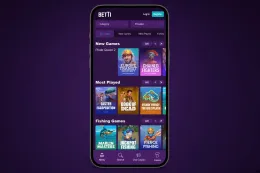
What Betti offers on mobile
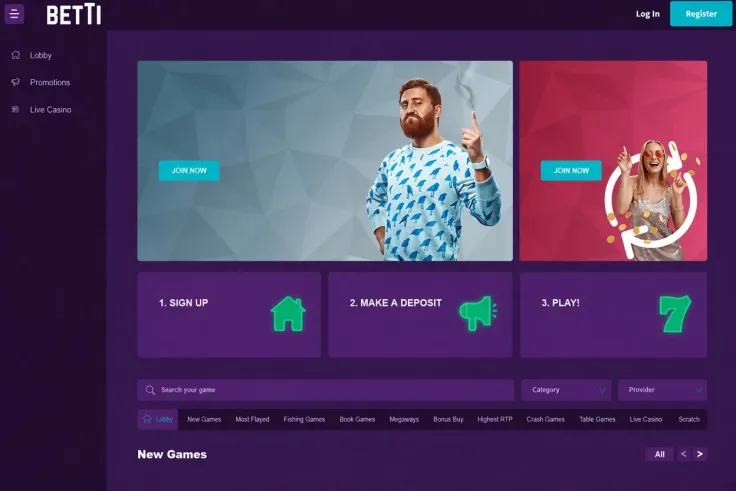
The mobile site is how you play Betti on a phone. You open it in your phone's browser, so there is no separate program to install. The mobile version page explains how the site works on a phone and how to reach it.
Betti has no app for iPhone or Android, so a search in an app store for the name will not find one. Anything sent to you as a Betti app, as an APK file, or through a link in a message or social post does not come from the casino. Do not enter login details, card details or identity documents into anything of that kind.
Betti is operated by Sefiarray B.V.. Its games come from 27 providers, including Play'n GO, Hacksaw Gaming, Blueprint Gaming, Thunderkick, Playson, Evoplay, Spinomenal, Booming Games, Gaming Corps, Spribe, PG Soft, JILI, Smartsoft Gaming, Swintt, Onlyplay, Ruby Play, CQ9 Gaming, Iconic21 (BETER Live) and Vivo Gaming. The site offers a live casino as well as slots, so you can browse everything on the games page, or go straight to slots or live casino.
Two practical points matter on a phone. Logging in is covered on the login page, so have your details ready before you start. Betti also requires identity verification, so keep your documents to hand, either on your phone or nearby. The verification page explains the steps.
Support is available by live chat, 24/7 (live chat), and by email. Live chat is useful on a phone because you can keep the conversation open while you check the screen.
Before you log in, look at the address in the browser bar and make sure it matches the one you reached through a source you trust. A page that asks you to download something, or that asks for card details on a screen you did not expect, should make you stop and leave.
Saving the site to your home screen or bookmarks gives you a shortcut to the page, not an app, and it does not change how the casino works. Knowing that difference stops you from assuming a saved link has installed anything on your phone.
The mobile site suits players who are comfortable opening a browser each time. There are no app notifications to rely on, so you open the site yourself. If that feels inconvenient, read the terms and decide how you will use the site, rather than looking for a download somewhere else.
iPhone, Android and the mobile site compared

The three pages in this section do not describe three different products. They answer the same question from different starting points, and the differences lie in what you need to know.
The iOS page is for iPhone users who searched for an app and want to know why they cannot find one. It explains that Betti has no iPhone app and what to use instead. Read it if you are on an iPhone and your search started in an app store.
The Android page does the same for Android users. It also deals with downloaded files, which is where fake versions of apps tend to appear. If you have been sent an APK or a link to install something, that page is the one to read first.
The mobile version page is the practical one for everyone, because it covers the site you will actually use on either type of phone. It is the page to read if your aim is simply to play.
If you are unsure which page to read, pick the one that matches your search. If you only want to start playing, read the mobile version page and skip the other two. Neither of the device pages changes how you reach the site.
The money side is the same whatever phone you use. The minimum deposit is £16.60, the minimum withdrawal is £85, and withdrawals take 24–48 hours. The deposits page covers how a deposit is made, and the withdrawals page covers how money returns to you.
Because the same money rules apply on a phone and a computer, read the deposit and withdrawal pages before you put money in, even if you plan to play only on your phone.
The games come from 27 providers, and they are reached through the site rather than a separate program. When you compare a phone with a computer, the games and the money rules are the same, so the choice comes down to how you prefer to open a browser.
<<
18+ · T&Cs apply
Where to start

Choose by what you are trying to do, not by device.
- You want to know whether an app exists: the iPhone app or Android app page, depending on your phone.
- You want to play on your phone: the mobile version page.
- You want to register first: the sign up page, which works from a phone browser as it does from a computer.
- You want to check how money moves: the deposits and withdrawals pages.
- You have a problem on your phone: support is available 24/7 (live chat), and Betti also offers email support. The contact page lists how to reach it.
A short check before you pick the mobile site is whether you are comfortable playing in a browser rather than an app. There is no app to rely on, so you open the site each time. If that does not suit you, the answer is to play on a computer, not to look for an unofficial download.
<<
Tips before you use Betti on a phone

Check the address in your browser before you type a password. With no app to rely on, a fake page is the main risk on mobile. Reach the site from a link you trust and do not follow links in messages or social posts.
Keep your phone's system and browser up to date, and avoid logging in or depositing over public wifi. Phones are easy to lose, so a screen lock matters more than any setting on the site.
Read the conditions of any offer before you deposit. This page does not cover bonus terms, so use the bonus offers page and the terms and conditions before you commit money.
Betti does not hold a licence from the UK Gambling Commission. Its licence is from the Curaçao Gaming Authority, number OGL/2024/842/0350, so UK licensed-operator rules and GAMSTOP do not cover it. The is Betti safe page explains what that means in practice, and the safer gambling page lists the tools and support services available to you.
Set a deposit amount you are comfortable losing before you start, and treat it as the cost of entertainment.