
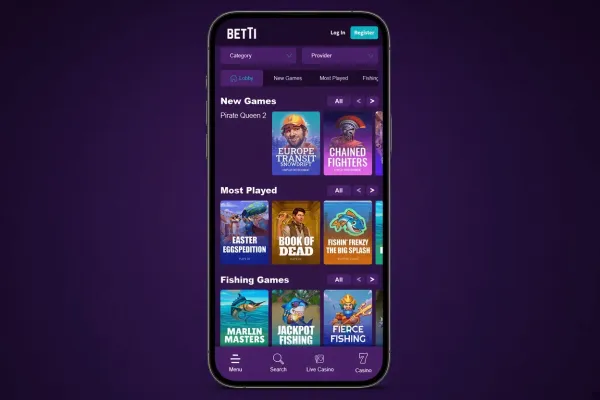
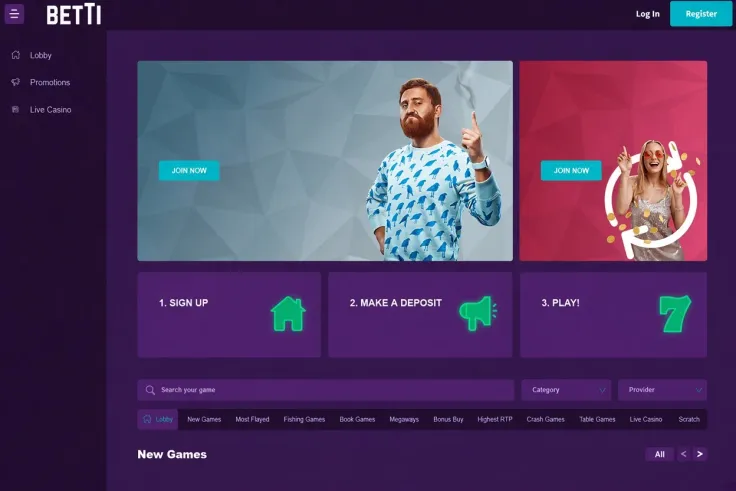
Betti mobile means the mobile site. There is no iPhone app and no Android app, so you open the casino in your phone's browser and use it from there. Nothing needs to be downloaded or installed from a store.
That makes the choice simple. Any phone with a modern browser and an internet connection can reach Betti, and the steps above show how to open it and add a shortcut. This page covers what to expect from the browser version, what to do about app claims you may come across, and the points that matter when you play on a phone.
What you get on a phone

The mobile site is the only route to Betti on a phone. You open it in the browser, then log in with your existing account or sign up if you are new. Both are done on the same site, so there is no separate app account to set up.
Because there is no app, there are no app-only features to look for. A browser version has no store listing, no app updates to manage and nothing taking up storage on your phone. The trade-off is that you rely on the browser for everything. If the browser is out of date, closes in the background or loses its connection, you will notice it in the casino as well.
The Add to Home Screen option in the steps above gives you a one-tap icon. It behaves as a shortcut to the website, so it is no faster or more capable than opening the site in the browser yourself. Its value is convenience: you do not have to search for the casino each time.
A few general points apply to any casino played in a mobile browser:
- Turning the phone sideways usually gives a wider view, which can help with games that have many symbols or a busy table layout.
- Keep other browser tabs and apps to a minimum so a notification or call does not interrupt a round.
- If the page freezes, reload it and check your balance and game history before doing anything else.
- Use the same browser each time, so your shortcut and any saved logins stay consistent.
If you want a closer look at what is on offer, the games and slots pages describe how the main categories work. Check each game's own rules and paytable when you open it, since these are shown inside the game.
No app to install

Betti has no native app for either platform. There is nothing to find in the App Store on an iPhone and nothing to find in Google Play on an Android phone. The iPhone app, Android app and general app pages on this site cover each platform in more detail.
This matters for safety. If you see a listing, a link in a message or a downloadable file that claims to be the Betti app, do not install it. A file sent to you outside a app store, particularly an APK on Android, is a common way to spread malware or to copy login details. Since Betti has no app, anything presenting itself as one is not from the casino.
The same caution applies to the website address. Type it yourself or use a shortcut you created, rather than following a link from an email, text message or social post. A copy of a casino's login page can look convincing on a small screen, where the address bar is easy to overlook. Check that the address is the one you expect before you enter a password. <<</FIX 1>>>
When you add the shortcut, the steps above are all you need. A few things are worth knowing about what you end up with:
- The icon opens a web page, so it needs an internet connection to do anything.
- If you remove the icon, nothing is lost, because your account sits with the casino and not on your phone.
- If the icon stops working, delete it and add a new one from the site.
- Shortcuts depend on the browser you used to create them. If you switch browsers, create a new one.
Practical points on a phone

A phone is easier to lose, share or leave unlocked than a computer, so start with the device itself. Use a screen lock with a passcode or biometric, and do not let anyone else use your phone while you are logged in to the casino. On a shared or borrowed phone, log out when you finish and do not let the browser save the password.
Choose a password for your Betti account that you use nowhere else. Where the browser offers to store it, make sure the phone itself is protected by a lock.
Public Wi-Fi in cafés, stations and hotels is a weaker setting for logging in to any account that holds money. Your home connection or mobile data is the safer choice. Mobile data use depends on your plan, so if you are on a limited allowance, keep an eye on it. A dropped connection in the middle of a round is also less likely on a steady signal.
On limits and control tools, the position for Betti differs from a UK-licensed site. Betti does not hold a licence from the UK Gambling Commission, so the duties of licensed operators do not cover it, and GAMSTOP self-exclusion does not apply to your Betti account. It holds a licence from the Curaçao Gaming Authority. Check what deposit limit and time-out options your account offers before you play, and set them before you start rather than partway through a session. The Is Betti legit? page explains the licence position in more detail, and the safer gambling page covers tools and support available to you.